
Operations

Schedule the Work. Track the Tasks.

Review the Results.

Operations connects sold work to the people responsible for completing it. In Include GO, tasks are the work items your workforce is assigned to complete. GO Schedule gives operations managers one place to review what needs to be done, place work on the right schedule, and keep office and field teams aligned in real time.

Start a Conversation
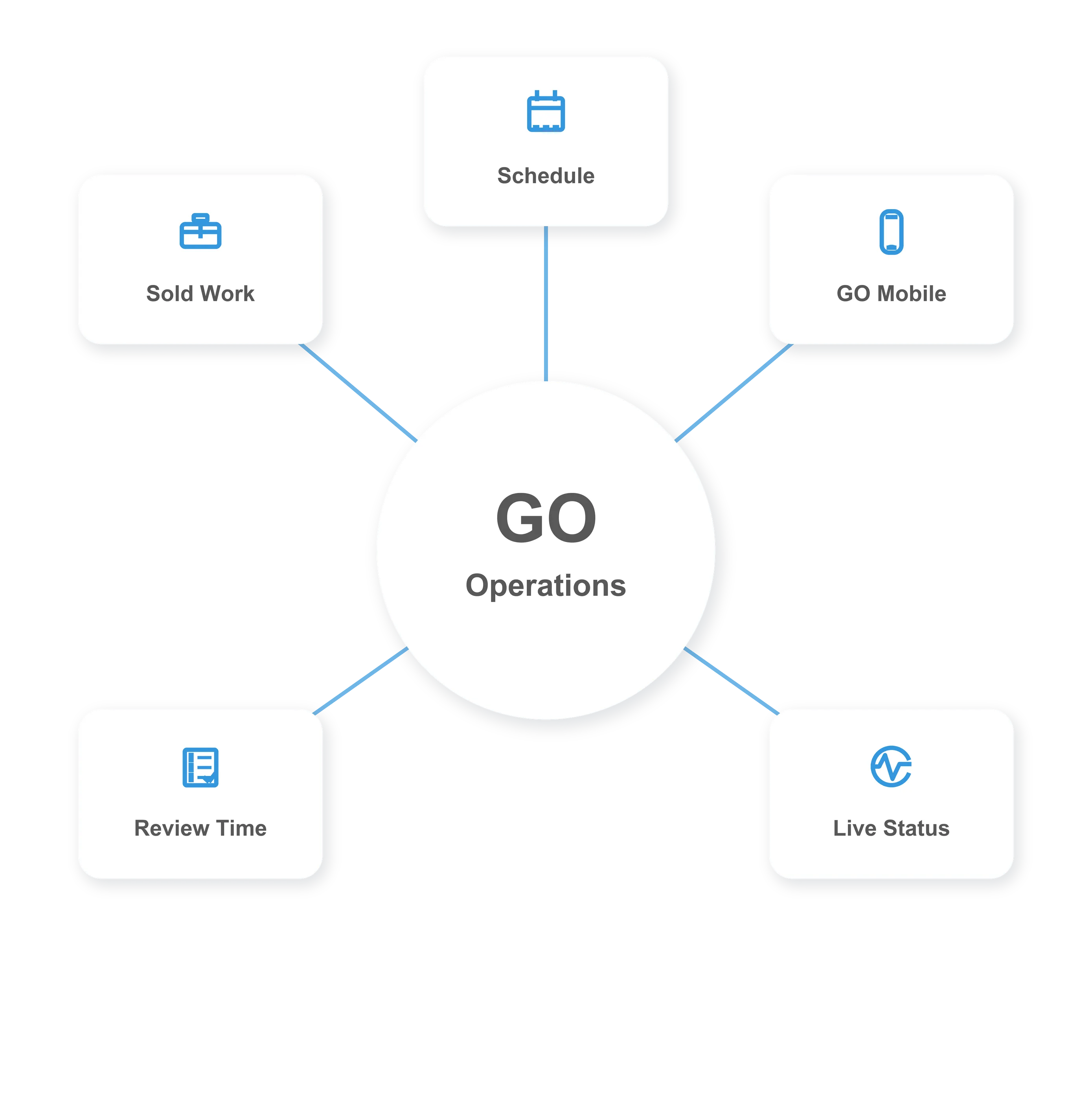
GO Operations workflow graphic showing sold work, schedule, mobile, live status, and review time

From Sold Work to Review-Ready Time

task search icon
Tasks Created From Sold Work
When work is sold, the operational details become tasks your team can assign, schedule, perform, and track. Every task gives the workforce a clear item of work to complete.
clockwise icon
GO Schedule for Daily Work
Operations managers can review tasks that need to be completed and schedule daily tasks, recurring work, one-time work, and project-based installation schedules in GO.
payment icon
Gantt Scheduling for Projects
For installation-based projects, teams can plan work on a Gantt schedule so operations can understand sequencing, dependencies, timing, and resource needs before crews head to the field.
rocket icon
Tracked on GO Mobile
Field teams complete scheduled tasks in GO Mobile and track the time, materials, equipment, travel, and load connected to the work they perform throughout the day.
graph icon
Real-Time Field Visibility
As crews perform work, operations and office teams can see what is happening in real time, helping everyone understand progress, field activity, and operational status.
coin icon
Time Reviewed When Complete
When tasks are completed, the time and work details are sent for operations and/or administration review, giving the office cleaner information before final processing.

One Operational Workflow From Office to Field

manage icon
Clear Work Assignments

Tasks tell crews what needs to be completed, who is responsible, and where the work fits in the operating schedule.

notification icon
Scheduling Control

Operations can manage daily, recurring, one-time, and project schedules from one connected planning workflow.

calender icon
Mobile Field Tracking

GO Mobile captures the time, materials, equipment, travel, and load used to complete assigned work.
blue hands icon
Review-Ready Results

Completed task time flows back to operations and administration so the office can review what was performed before the next step.

Ready to Run a More Connected Operation?

Include GO connects sold work, operational scheduling, mobile field tracking, and review-ready time so office and field teams can see what is being done as it happens.